Widgetable: Besties & Couples
- 4.7
- Rating
- 50.00M
- Installs
- Free
- Price

 Analysis by App-foxy
I approached Widgetable: Besties & Couples as a social app for people who want a small, visible reminder of another person throughout the day rather than another full messaging inbox. Its idea is simple: connect with someone, share selected updates, and let those moments appear through widgets and shared screens. In practice, that makes it feel closer to a lightweight digital companion than to a traditional social network.
That difference matters. I would not install it expecting a replacement for WhatsApp, Messenger, or a private group chat. I would use it when the point is to keep a friendship, relationship, or co-parenting routine present without needing to start a conversation every time. The app is free to install, aimed at Everyone, and developed by Happeny Technology Pte. Ltd. It also includes optional purchases ranging from $0.99 to $99.99 per item, so I would explore the free experience first before spending anything.
How Widgetable feels during everyday use
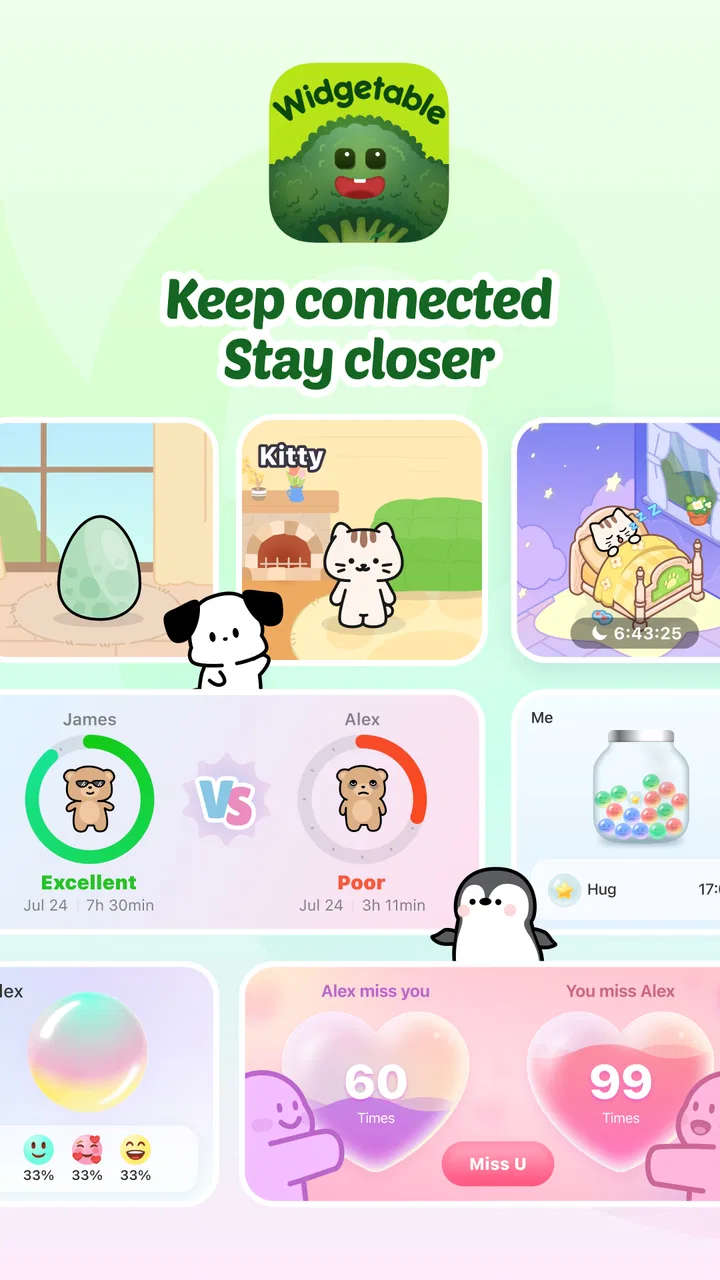
The strongest part of the concept is its glanceable nature. Instead of opening an app and scrolling through a feed, I can use a widget or shared display as a quick check-in point. That suits small pieces of information: a mood, a sleep-related update, or a pet-care note. The value comes from reducing the effort needed to stay involved.
You May Also Like

 AccuWeather: Weather Radar
AccuWeather Review: A Quick, Clear Forecast for Everyday Decisions
For everyday plans, the best forecast is the one you can understand quickly. AccuWeather makes rain timing, radar, and local conditions easy to act on, with a few trade-offs.

 Hill Climb Racing
Why Hill Climb Racing Still Turns Crashes Into One More Run
A tiny car, a bumpy hill and one more upgrade: Hill Climb Racing keeps resurfacing because its simple chaos makes every near-miss feel personal.

 AliExpress - Shopping App
AliExpress Makes Global Shopping Feel Personal, but Shoppers Bear the Risk
AliExpress turns a global marketplace into a pocket-sized discovery engine. Its reach is useful, its shopping loop compelling, and its trade-offs easy to miss.

 Lords Mobile: Kingdom Wars
Lords Mobile Is a Kingdom-Building Routine, Not a Quick Match
A case-by-case verdict on the building, battles, device demands, and social commitments that make Lords Mobile rewarding for some players and exhausting for others.

 PDF Scanner app - TapScanner
TapScanner Makes Paperwork Easier to Capture, Check, and Share
TapScanner makes scanning with a phone feel less like a rescue operation and more like a dependable step in getting work done. Its capture tools are useful, though not flawless.

 Block Blast!
 Shows How Much a Puzzle Game Can Leave Out
A quiet grid game shows why puzzle players increasingly value instant clarity, repeatable skill and low-pressure play—and where the genre still needs to catch up.
More From Our News Desk
View All News


A realistic example would be two people living in different places who share responsibility for a pet. One person can use the app as a quick place to record a care update, while the other can see the changing status without sending repeated messages. It does not remove the need for a proper conversation when something important happens, but it can make routine coordination less repetitive.
I also see a good fit for couples who enjoy small daily rituals. A widget can turn an otherwise ordinary home screen into a reminder of the other person. Friends can use the same idea for casual check-ins, especially when a long chat feels unnecessary. The app is more personal than a standard calendar reminder and less demanding than maintaining a public social profile.
The interface is built around connected experiences rather than a large public audience. That gives it a warmer feeling than many mainstream social platforms, but it also narrows its usefulness. If your main goal is discovering content, following creators, or participating in large communities, this is probably the wrong category of app for you.
Speed expectations and the role of widgets
My expectation for an app like this is quick access, because its purpose depends on short interactions. I do not want to spend several steps opening a feed just to record a simple update. Widgetable makes more sense when the home-screen element does the first part of the work and the full app is reserved for checking details or changing the shared setup.
There is an important trade-off here: widgets are convenient, but they are not the same as an instant live conversation. Updates may be most useful as a snapshot rather than a guaranteed real-time exchange. I would still send a direct message for anything urgent, emotionally sensitive, or time-critical. Treating the widget as a gentle signal instead of a notification system is the healthier way to use it.
The app’s current version is 4.0.100, which suggests an actively maintained product rather than an abandoned experiment. Still, a version number alone cannot guarantee identical behavior on every phone. Android devices handle widgets, background activity, and battery controls differently, so the experience can vary depending on the device and its system settings.
One practical tip is to place the widget somewhere you naturally look, but not in a position where it becomes visual noise. If it is buried on a secondary screen, the whole point is weakened. If it occupies the most prominent space and updates too often for your habits, it can become distracting. The best setup is usually the smallest widget arrangement that still makes the shared information easy to notice.
What happens during heavier use
The app becomes more demanding when several people, pets, or shared routines are involved. A single connection with occasional updates should feel conceptually simple. A busier setup, with multiple relationships and several types of shared information, creates more things to monitor and more chances for the experience to feel cluttered.
This is where I would be selective. I would not activate every available shared element immediately. I would begin with one purpose, such as a pet-care routine or a couple’s daily check-in, then add another only if the first one genuinely helps. That approach makes it easier to tell whether the app is improving communication or merely adding another stream to maintain.
Heavy use also changes the emotional side of the product. A shared mood feature can be sweet when both people understand that it is informal. It can become uncomfortable if one person starts treating every update as a test of attention or affection. I would agree in advance on what the updates mean and how often either person is expected to respond. The app works best as a low-pressure habit, not as a scorecard.
For pet co-parenting, the same principle applies. A shared status can help with routine awareness, but it should not replace a clear handoff message when feeding, medication, appointments, or unusual behavior needs careful explanation. The app is useful for reducing small misunderstandings; it is not a substitute for detailed records when the situation is important.
Another non-obvious trade-off is that convenience can encourage passive checking. It is easy to glance at a widget repeatedly without actually talking to the person behind it. I would use the app to create openings for conversation, not to avoid conversation. A quick shared signal is valuable precisely because it can lead to a more meaningful exchange when one is needed.
Reliability, recovery, and shared expectations
Reliability matters more here than it might in a casual wallpaper app because the experience depends on two people seeing a consistent picture. If one person updates a mood, sleep note, or pet status and the other does not notice it, the feature loses much of its charm. For that reason, I would treat the app as a convenience layer and keep important information in a more dependable channel.
When something appears out of date, my first recovery step would be simple: open the app directly instead of judging the situation from the widget alone. I would then check whether the shared connection is still active and whether the other person’s update is visible inside the app. Reopening the app can also distinguish a delayed widget refresh from a deeper account or connection problem.
I would avoid repeatedly changing settings while trying to fix a confusing display. With shared apps, changing several things at once makes it difficult to know what solved the issue. A better routine is to check one connection, one widget, and one recent update at a time. If the app is being used for pet responsibilities, I would confirm important handoffs directly even after the display appears correct.
The app’s strong public reception—an average rating of 4.7 from around 468 thousand ratings—shows that many users find the overall idea appealing. It has also passed 10 million installs, giving it a substantial user base for a focused social tool. Those figures make me more comfortable recommending it as something worth trying, although popularity cannot remove the need to see whether its style fits a particular relationship.
Stability is also tied to the operating system. Widget behavior can be affected by battery-saving modes, background restrictions, or a system that refreshes home-screen content less aggressively. I would not interpret a missing instant update as proof that the shared information was lost. I would check the main app first, then review the phone’s widget and battery behavior if the issue keeps returning.
Device constraints and the free-to-paid boundary
The minimum operating-system requirement is Android 9, so users on older Android releases will not have the same starting point. On supported phones, the remaining question is not only whether the app installs, but whether the device handles widgets comfortably alongside other background activity. A phone with tight storage or aggressive battery management may provide a less seamless experience than a newer, better-supported device.
I would also consider screen size and home-screen habits. The app’s appeal depends partly on seeing shared information without opening it, so a crowded launcher or a small display may make the experience less satisfying. People who rarely use widgets may get less value than those who already organize their phone around glanceable tools.
The free price makes experimentation easy, but the in-app purchase range deserves attention. Optional items can cost anywhere from $0.99 to $99.99, which is a wide spread. I would not assume that every attractive customization or extra is necessary for the core social purpose. My recommendation is to use the free functions long enough to decide whether the daily habit itself is useful before considering a purchase.
This is also an app where both participants should be comfortable with the arrangement. If one person wants a constant shared presence and the other prefers fewer digital touchpoints, the product may create friction rather than closeness. I would discuss what will be shared, how often it should be checked, and whether either person can step back without causing an argument.
For privacy-conscious users, the right question is not simply whether the app looks friendly. It is whether the selected sharing routine feels appropriate for the relationship. I would keep the shared content limited to what has a clear purpose, avoid using it for sensitive details that require context, and remember that a widget can make personal information more visible on a phone’s home screen.
Who will get the most from it
I think the best audience is couples, close friends, and people sharing responsibility for a pet who enjoy small digital rituals. It is especially appealing if you want a visual reminder of someone without maintaining a public profile or opening a conventional chat app for every tiny update.
It can also suit people who struggle to keep up with low-stakes communication. A mood or status signal can make it easier to say, “I am thinking of you,” without requiring a carefully written message. That does not make it a therapy tool or a relationship solution, but it can support a habit of gentle contact.
I would skip it if you need professional task management, detailed pet records, a formal co-parenting log, or dependable urgent alerts. A shared calendar or dedicated care-management service will be better when timestamps, accountability, and structured notes matter more than warmth. I would also skip it if widgets are not part of how you use your phone, because much of the app’s identity is built around that glanceable layer.
Compared with ordinary messaging apps, Widgetable is less flexible but more focused. A chat app is better for long explanations, files, searchable history, and immediate back-and-forth. Compared with a public social network, this app is quieter and more intimate. Compared with a task app, it is more emotional and less formal. Its strength is the space between those categories, and that is also why it will not satisfy everyone.
My performance verdict
After looking at the way the app is meant to be used, I see it as a lightweight companion experience rather than a demanding social platform. Its success depends less on constant scrolling and more on whether the widgets and shared updates fit naturally into your day. Used selectively, it should feel like a small layer of connection instead of another obligation.
The main limitations are equally clear: widget refresh behavior may depend on the phone, busy setups can become cluttered, and important information should not be left to a glanceable status. The broad in-app purchase range also means I would stay deliberate about spending. None of these points ruins the concept, but they make thoughtful setup more important than simply installing the app.
For me, the most convincing use is a small, agreed routine between people who already care about staying connected. Start with one shared widget, keep the information low-pressure, and use direct conversation when context matters. If that sounds like the kind of connection you want, Widgetable is worth trying for its focused approach to everyday closeness.
Happeny Technology Pte. Ltd. has made an app that feels different from the usual social feed because it puts the relationship, pet, or shared ritual at the center. I would recommend it to someone who wants a friendly visual touchpoint and understands its limits. I would not recommend relying on it alone for urgent communication or formal responsibilities, but as a small companion on a supported Android device, it offers a distinctive and approachable way to stay present in someone else’s day.
FAQs for Widgetable: Besties & Couples
01What is Widgetable: Besties & Couples and how does it work?
Widgetable: Besties & Couples is a personalization app that allows users to create customizable widgets for their home screens. These widgets can be shared with friends or partners to enhance communication and display shared memories. Users can choose from various widget designs, styles, and functions to tailor their experience.
02Is Widgetable free to use, and are there in-app purchases?
Widgetable is free to download and use, offering a range of basic features at no cost. However, the app does include optional in-app purchases that provide access to premium designs and additional customization options. These purchases enhance the user experience but are not necessary for the app's core functionality.
03How can I share widgets with my friends or partner?
To share widgets with friends or a partner, users need to connect with them through the app. Once connected, you can create and share personalized widgets directly to their home screens. This feature encourages interaction and allows you to keep shared moments and messages easily accessible.
04What customization options are available in Widgetable?
Widgetable offers a wide array of customization options, including different designs, colors, fonts, and layouts. Users can also add personal photos and text to make each widget unique. Whether you want a minimalist look or a vibrant design, Widgetable provides the tools to achieve your desired aesthetic.
05Is my personal information safe with Widgetable?
Widgetable prioritizes user privacy and data protection. The app requires minimal personal information to function and implements robust security measures to safeguard user data. Always ensure that you review the app's privacy policy and settings to understand how your information is managed.
Pros
- Customizable widgets enhance personalization.
- Easy to share updates with friends and partners.
- Seamless integration with popular social media.
- User-friendly interface for smooth navigation.
- Regular updates keep the app fresh and interesting.
Cons
- Limited widget themes in free version.
- Occasional syncing issues reported by users.
- Some features require in-app purchases.
- Advertisements can be intrusive at times.
- Battery consumption is slightly higher than average.

Widgetable: Besties & Couples
Gallery